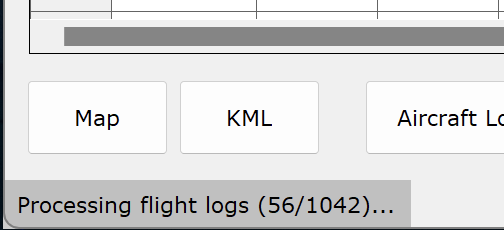
Today when I went to sync one of my NEO logs, Flight Reader proceeded to try to re-sync hundreds of already synced logs. I quit and restarted Flight Reader and the same thing happened again. What’s going on? Is there any way to get it to go back to syncing only the latest unsynced log?
Between now and the last time everything synced correctly, do you have any idea what might have changed with Flight Reader? For example, did you uninstall and reinstall it, reinstall Parallels, manually delete any files in the Flight Reader installation or repository, or make any other changes I should know about?
I have not uninstalled/reinstalled Flight Reader or Parallels, nor have I manually deleted any file in the Flight Reader installation or repository.
The only thing I did was delete a couple of NEO flight logs that I flew in my house yesterday, but I did that through the Flight Reader interface by selecting the flight then right clicking and selecting ‘Delete Flight Log’ from the pop-up menu.
Just a note. It seems that every time I open Flight Reader the number of flight logs that are being processed are increasing. It’s now well over a 1000.
It sounds like Flight Reader might have lost track of which flight logs it already synced, which isn’t something I’ve seen happen before.
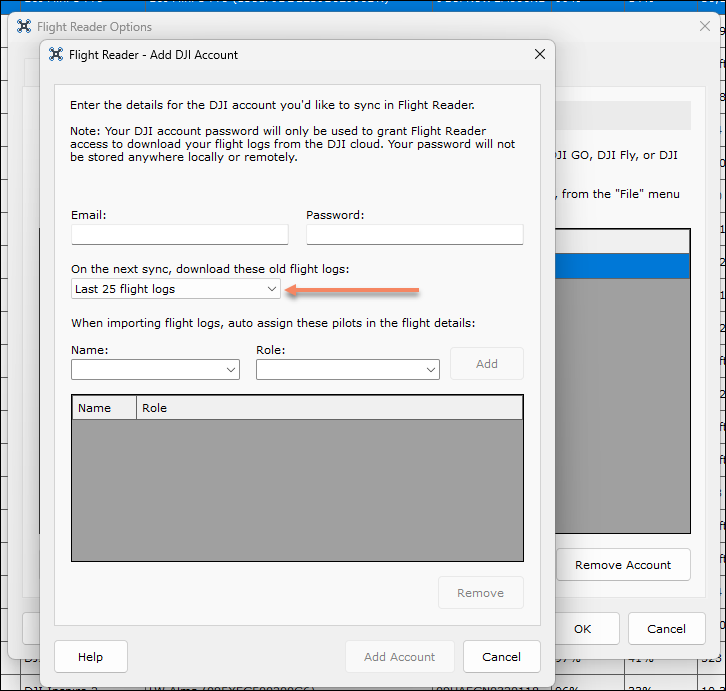
Try deleting and re-adding your DJI account in the Flight Reader Options. When you do, select the option to only download the last 25 flight logs to keep the first sync quick.
You probably have a lot of flight logs waiting to be processed in your repository folder. You can delete any TXT files in that folder to stop them from being processed.
When it re-syncs the flight logs will I lose the flight log details? I add details to every flight log so I don’t want to lose those details because I would not be able to remember the details of flights flown weeks or months ago.
It’s late now so I will tackle this in the morning.
Ok, I tried that and it didn’t work and my latest flight log from my NEO, the one I was trying to sync that started all this didn’t sync either. After syncing the last 25 logs it went back to syncing over a thousand logs.
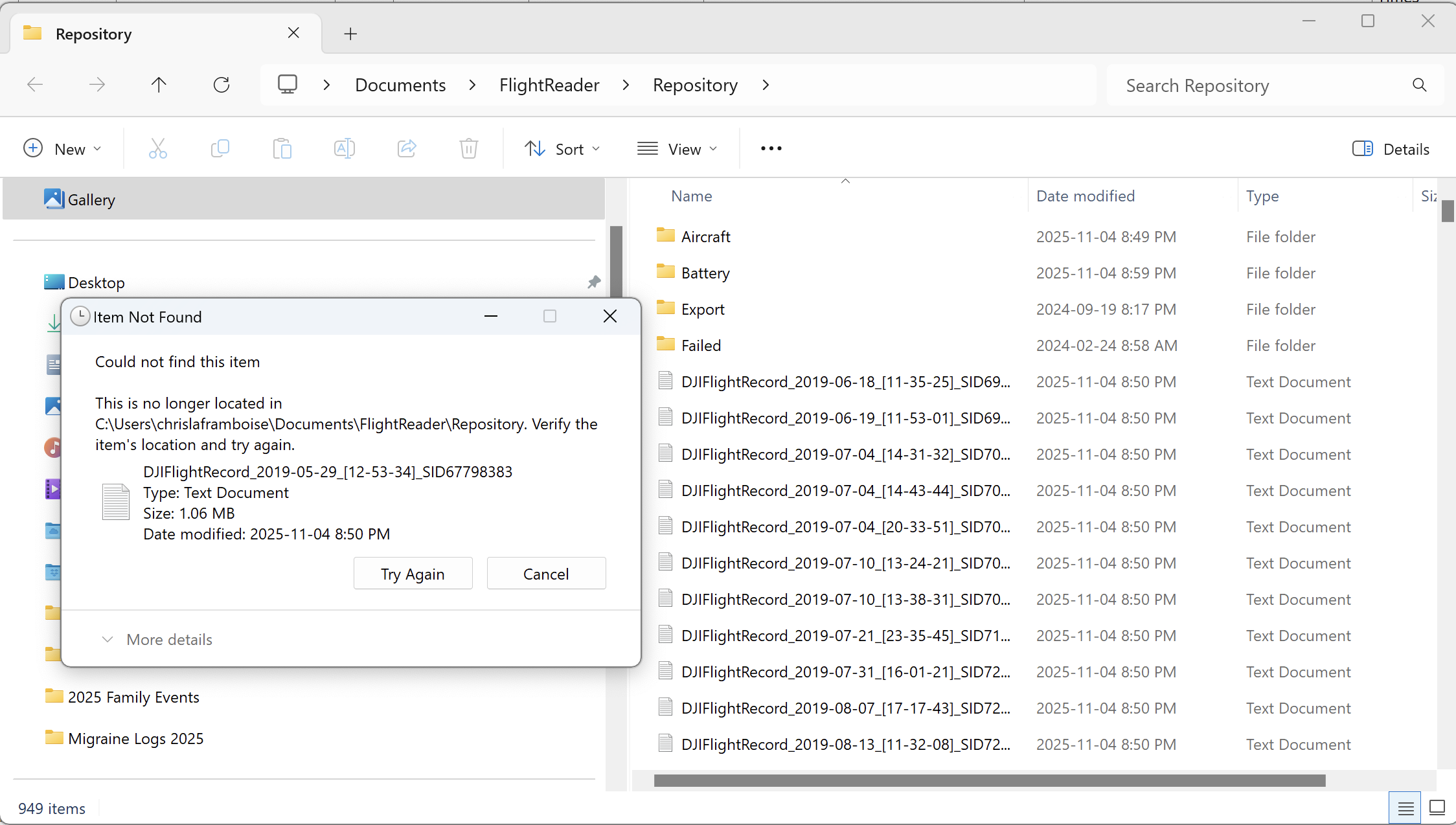
I am not able to delete the txt log files. When I try to shift click the entire range of files the selection goes away. If I select one file I get the following message.
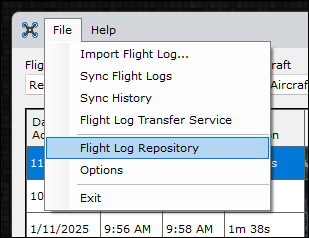
I think I know what is happening. Somehow Flight Reader is syncing all of my logs for every aircraft I have ever owned. As the Flight log Repository shows there are logs as far back as 2019 which is when I had my first DJI Phantom 3 Standard. I never owned Flight Reader then and never synced those logs into Flight Reader. I have only synced logs since I believe Jan '24. I just checked and now Flight reader has some logs for aircraft that I never synced into and for dates I never synced.
How do I stop it from syncing all those previous logs so that I can clean it up and delete the logs I don’t want in there.
You should exit Flight Reader before deleting those files. While it’s running, it will still be trying to process them, which means both you and Flight Reader could end up trying to delete the same files at the same time.
The flight logs in your repository folder have already been synced. You can wait for Flight Reader to process them, or delete them using the steps I mentioned above.
Why all of a sudden would Flight Reader decide to sync every single flight log I have ever flown and going forward will this happen again after I delete all of the ones I don’t want in there?
That should only happen if you edit an existing DJI account in the Flight Reader Options and select “All available flight logs” for the next sync. It could also happen if you delete your DJI account, add it again, and choose to sync “All available flight logs”.
As for how it happened, I’m not sure since you confirmed you didn’t make any of those changes.
I got it all straightened out. I deleted my account again but it still kept syncing the logs even after re-starting Flight Reader, but this time I was able to delete all of the txt files from the Flight Log Repository. Once I did that then I added back my account and set it to sync the last 25 logs and everything worked. In the end I only ended up with 3 logs from 2016 which I deleted. Flight Reader is now working as it should and is set to sync ‘Only new logs’.
I updated to the newest version of Flight Reader (1.7.54) and the problem re-appeared again but it did not sync as many logs as before but still synced hundreds of logs going all the way back to 2017. I was able to easily delete them but was surprised this happened again.
I have ‘Only new flight logs’ chosen on next sync so I am puzzled why all my previously deleted logs re-synced again.