I recently crashed my mini 3 pro. And arm was replaced. However when I try to fly it, it’s giving a bunch of downward sensor calibration errors. I watched videos and downloaded dji assistant for my model type. When I hook it up to my laptop, it shows connected but doesn’t give me the option to calibrate. The menu consists of option to report, an option to download different update versions, and one other option. No calibrate option anywhere present
It sounds like you may have already found DJI’s instructions here:
Which version of DJI Assistant 2 did you install?
V2.1.40
Could you share a screenshot of what you’re seeing in DJI Assistant 2?
I first see a diagram telling me to connect to drone. After connecting and selecting my drone model that pops up, this screen appears… i believe “calibration” should be a fourth selection on that left menu just under dji assistant log
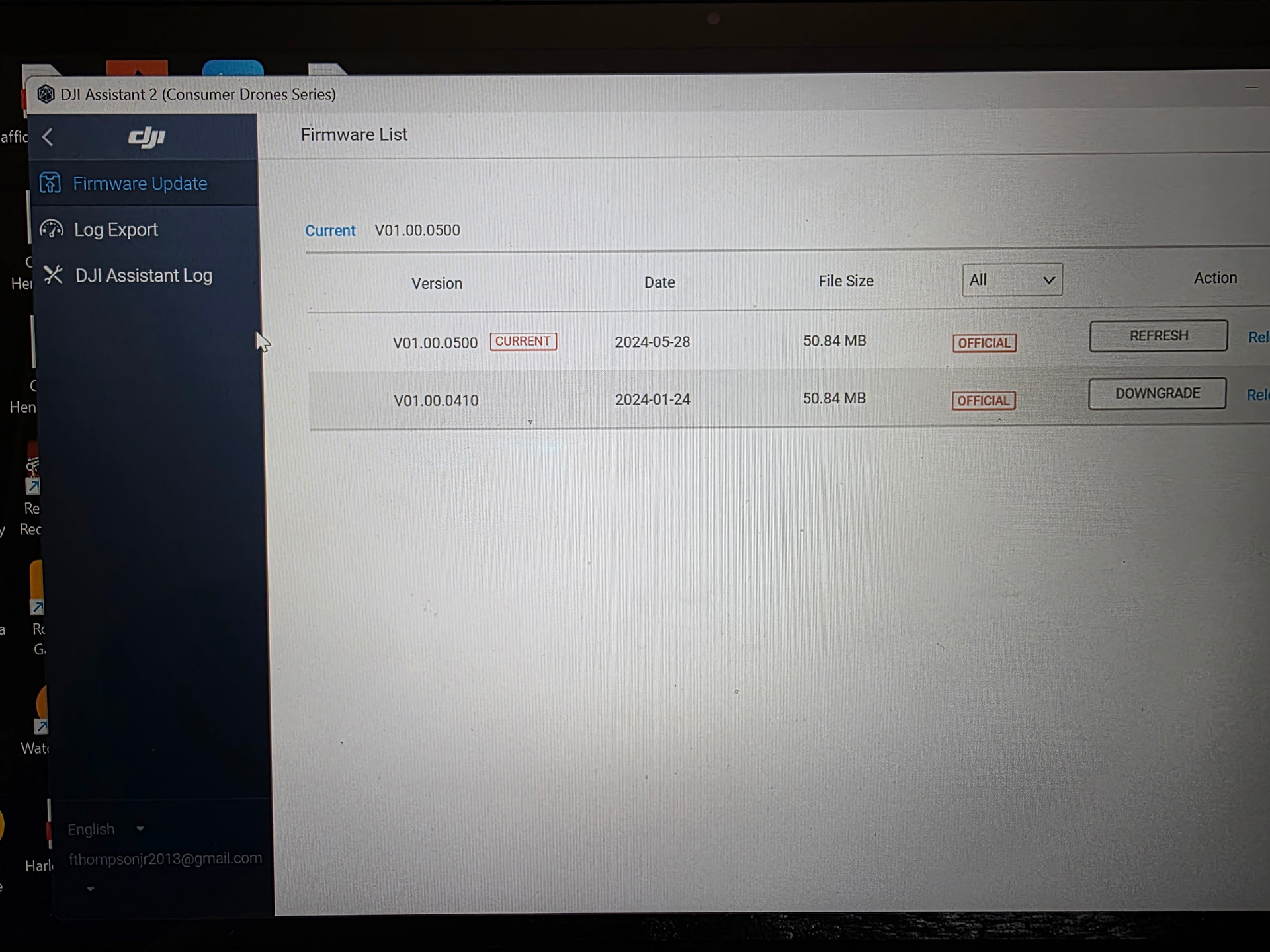
Other than having an incorrect version of DJI Assistant 2 installed, which you’ve already confirmed isn’t the case, it’s possible there could be a hardware issue that’s preventing DJI Assistant 2 from detecting it.
To rule out any software-related issues, I’d recommend installing DJI Assistant 2 on a different computer and seeing if the same thing happens. If it does, then the next step would probably be to contact DJI or a repair shop for help.
I dont have another computer, but that’s the only option I haven’t tried yet. I’ll post results sometime after I attempt. Thanks