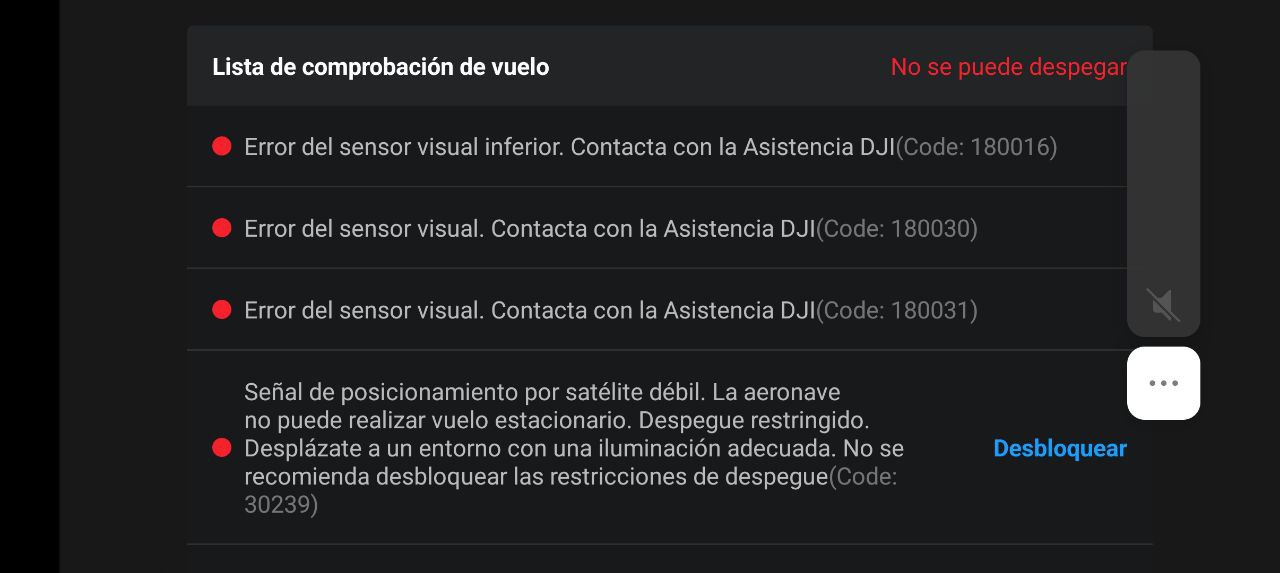
I bought a DJI Mini 4K and it arrived yesterday. I tried to set it up yesterday. But as soon as I connected it to the DJI Fly App. It reported a error with the sensors and to contact DJI support. The light on the drone after connecting it to the app and RC flashes red all the time. In the manual that means critical error.
I tried several things such as trying to connect it to DJi Companion 2 but its not getting detected. Maybe I am not doing it properly.
I also checked the logs on the internal memory. I found some. And one of them is from one month ago prior to my purchase. So I assume maybe this drone is returned. But it was sealed and such. Everything seemed packed properly, so I don’t know what happened
The logs seem to be encrypted. I tried the decoding tool here but it doesn’t seem to accept these logs.
I will contact DJI on Monday, as they work on office hours only. But wondered if I could sort it out with some help from here.
Yes, the TXT flight logs are encrypted and likely won’t help resolve your issue. However, you can upload and view them online here or with Flight Reader.
This is the best course of action if your drone is brand new and still under warranty.
Hi. Now apparently it doesn’t even connect. I know that the RC pairs with the drone (after it does the red light on the drone flashes red. But the “fly” blue button doesn’t show up. Only pairing guide. Even if its already paired
I tried that tool but it says it can’t decode the logs from the drone’s memory.
Those are other log files generated by DJI. If you need help interpreting them, you’ll need to contact DJI directly. While they likely won’t decrypt and share the contents with you, they would typically review the files themselves if you need to send your drone in for repair.
TXT flight logs can be found in one of these locations when using DJI Fly:
I tried to do a firmware update on the drone but it says its the most recent version. And also hit the drone factory defaults settings. It turned it off and asked me to restart it. No go. Red light flashing
Those errors are most likely caused by faulty hardware.
Since your drone is brand new, the simplest option is to request a replacement from the seller. If you purchased it directly from DJI, they should provide a replacement.
I just used a camera on the sensors below the drone when starting it up. The right infrared sensor on the bottom lights up and flashes, the one on the left doesn’t. Anyway. Lets see what DJI says. Thank you