I’ve added a new 3D Aircraft Orientation indicator to Flight Reader Web that makes it easier to see exactly how your drone was oriented at any point during a flight. You’ll find the new indicator on the right side of the flight map.
The indicator uses the heading, pitch, and roll data recorded in the flight log to animate a 3D aircraft alongside the flight map. As you play back a flight or select a specific point on the flight path, you can see which direction the aircraft was facing, whether the nose was tilted up or down, and how the aircraft was banking.
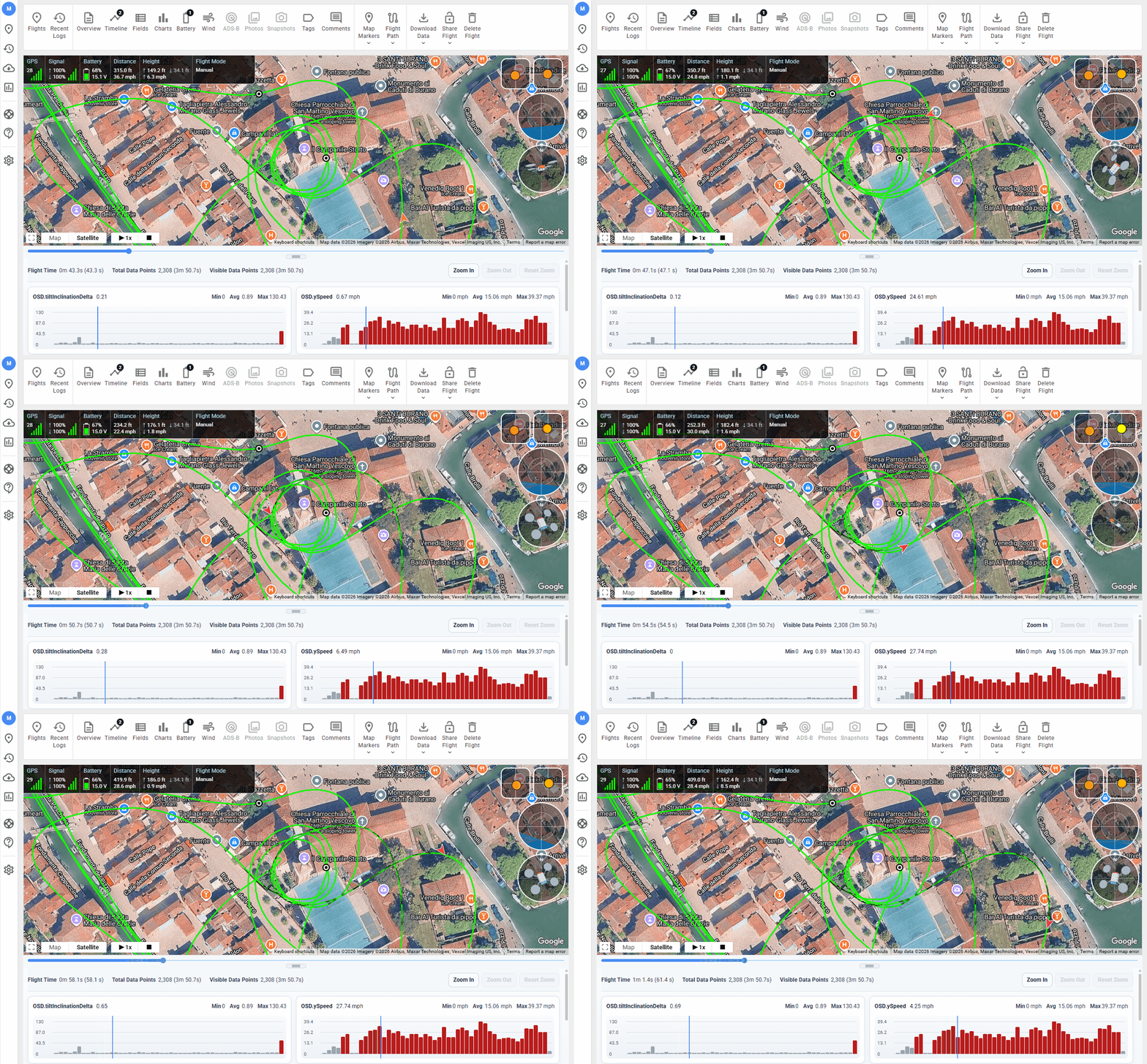
This can be especially helpful when reviewing turns, analyzing unusual aircraft movement, or simply getting a clearer picture of what the drone was doing at a particular point during a flight.
Want to try it out? Create a free Flight Reader Web account at https://www.flightreader.com/web and try the new 3D Aircraft Orientation indicator with your own flight logs today.
Hi Mike,
Is this only available on the web solution? I am not able to see any new indicator on the map usinge the PC version.
For now, this feature is only available in Flight Reader Web.
Noice! When can we expect this in the desktop verison?
@Pat_Iampietro I’d like to bring many of the newer features for viewing flight details to Flight Reader Desktop, including the new 3D aircraft orientation indicator.
The challenge is that Flight Reader Desktop handles and stores flight data very differently than Flight Reader Web. Before I can add these newer features, I need to update how the desktop version processes and stores that data.
Right now, adding features like these means users have to reprocess all of their existing flight logs to take advantage of them. That’s not a good long-term solution, so my first priority is to improve how all of that works. Once that’s done, it’ll be much easier to bring these newer features to Flight Reader Desktop.